 Tucky
TuckyEvery lecture, captured, searchable, and ready to study from.
Tucky records the lecture, answers questions from your own notes, and keeps every class organized without the manual filing.
Download free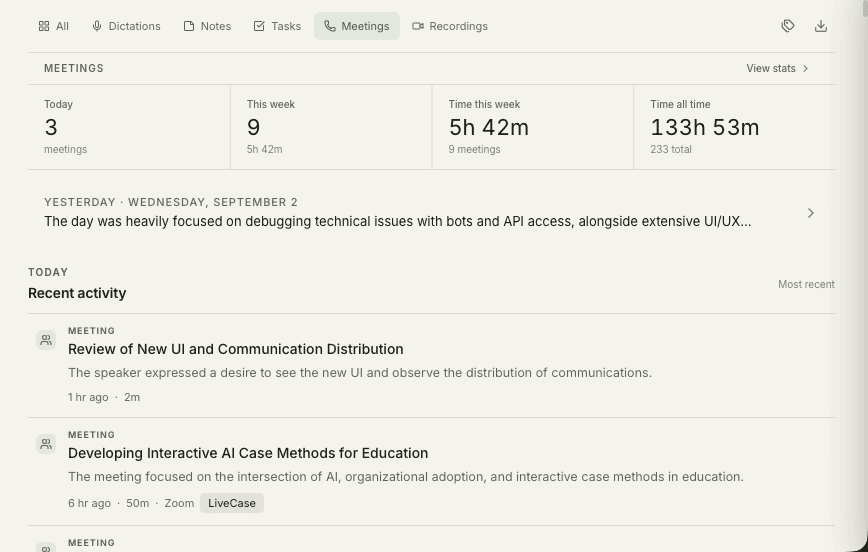
Lecture notes are a compromise between listening and writing, and both halves suffer. Trying to capture a definition verbatim means missing the explanation that came after it, and the notes that survive are often just detailed enough to be useless three weeks later when revision starts. A full transcript changes what note-taking is for: you can stop transcribing and start thinking.
The payoff shows up at exam time. A semester is a large amount of material, and the questions that matter during revision — what the marking criteria actually were, which topics kept coming back, what the professor said about the midterm — are questions about the whole term, not one lecture. Searchable transcripts make a semester answerable instead of merely stored.
You cannot write everything down and listen at the same time.
For supported online meeting apps, use your recording policy. For an in-person lecture or study group, start microphone recording yourself after obtaining permission. Check the transcript and assign the course project.

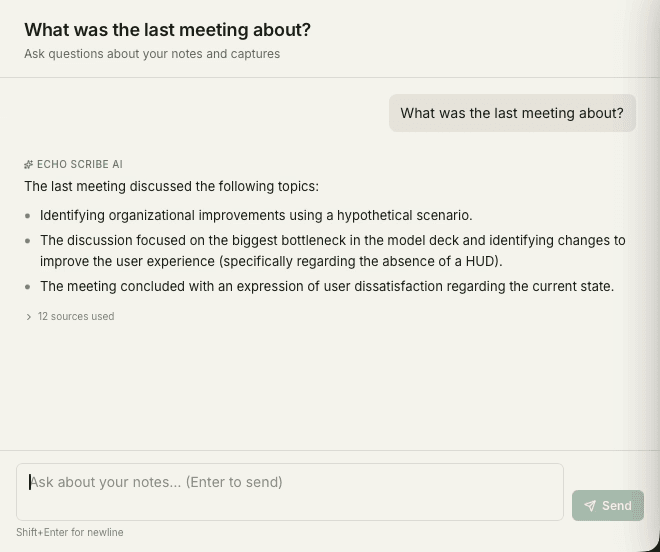
Ask any lecture a question, weeks later.
Search transcripts by question — “what did the professor say about the midterm?” — answered instantly from your own semester of notes.
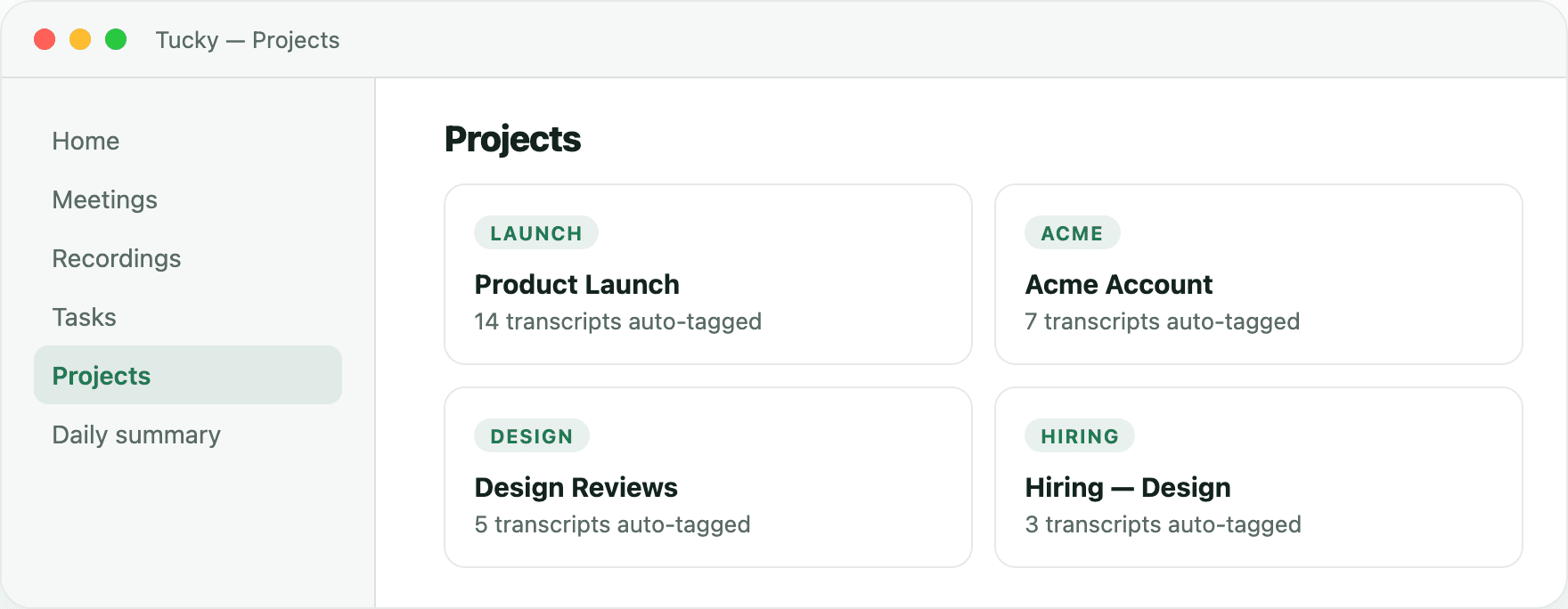
Build study material from your own notes.
Group recordings by course, review the summaries, and ask questions about the transcripts. You can export notes to another tool to prepare study materials; a complete study guide is not generated automatically.
Frequently asked questions
Am I allowed to record lectures?
That depends on your institution and sometimes on the individual lecturer, so check the policy before you record. Many universities permit recording for personal study while prohibiting redistribution, and some require prior permission or provide it automatically as an accessibility accommodation. Recordings stay on your own machine, which usually satisfies the storage side of such policies, but it does not replace asking.
Does it work for seminars and group study, not just lectures?
For supported online meeting apps, use your recording policy. For an in-person lecture or study group, start microphone recording yourself after obtaining permission. Check the transcript and assign the course project.
Is it free for students?
Tucky is free for everyone, with no account, student verification, or trial period. Install it by opening the DMG and dragging Tucky to Applications. Local models have no per-minute transcription fees.
Stop typing. Start talking.
Download Tucky for Mac. No Terminal or Homebrew required.
Open the DMG, drag Tucky to Applications, then open Tucky from Applications.
Developer ID signed and Apple-notarized.