 Tucky
TuckyPrivate by default. Fast by design.
Parakeet V3 handles speech recognition; a separate local Gemma model handles AI actions. Configure shortcuts, meeting recording rules, and permissions on your Mac.
Download free
Connect compatible AI agents such as Claude Code or Codex through the built-in MCP server, or let another tool read exported notes from a folder. Choose which tools and records they can access. A local connection does not guarantee that the connected AI provider processes data locally.
Because the whole platform runs on-device, updates are a re-download rather than a migration, and your data model stays under your control. There is no admin console in someone else’s cloud deciding what you can keep.
The model runs on your Mac, not someone else’s server.
Two local models do different jobs: Parakeet V3 transcribes speech in 25 languages, while Gemma handles AI actions, formatting, and summaries. Speech languages and app interface languages are separate settings.
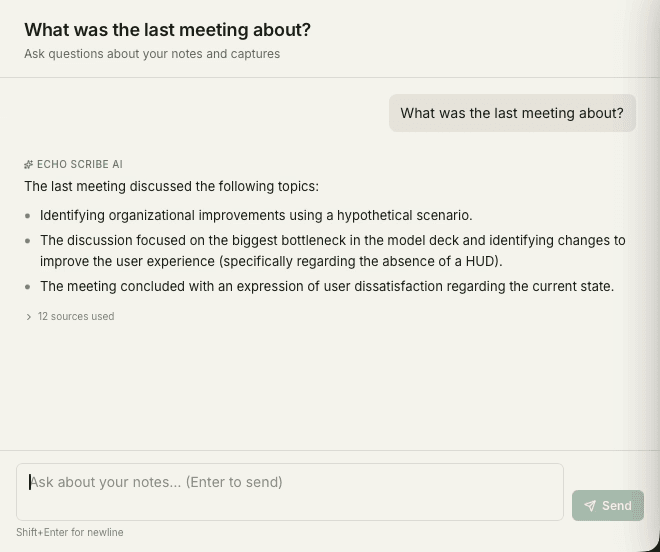
From download to first capture in minutes.
Choose your microphone and shortcuts, grant capture permissions, and set a recording policy for each supported meeting app.
Frequently asked questions
Can I customize hotkeys and capture behavior?
Yes. The settings give you control over dictation hotkeys, which models run, how meetings are detected, and how recordings start and stop, so Tucky fits your habits.
How are updates and new models handled?
Tucky checks for updates automatically. Choose Check for Updates, then Restart now when the download is ready.
What privacy controls does Tucky offer?
Because processing is local by default, privacy is the starting point rather than an add-on. You decide what gets captured, what is kept, and whether anything is ever exported off the device.
Stop typing. Start talking.
Download Tucky for Mac. No Terminal or Homebrew required.
Open the DMG, drag Tucky to Applications, then open Tucky from Applications.
Developer ID signed and Apple-notarized.